

Fee follow-up on your Overview lists teams that hold a seat at one of your upcoming events but still owe a fee. It is a list to work from: nothing on it removes or moves a team.

Open the list
Press Fee follow-up to open it. There are two tabs:
- HQ season fee: the team is not yet Secured on the FIRST HQ roster, which is how HQ shows the season fee as paid. This updates every time the roster is imported.
- Local event fee: the event's own fee is not marked paid. FIRST Texas marks it from the payment report, or by hand on the team. Guest teams from partner organizations are left out, because their partner collects that fee.
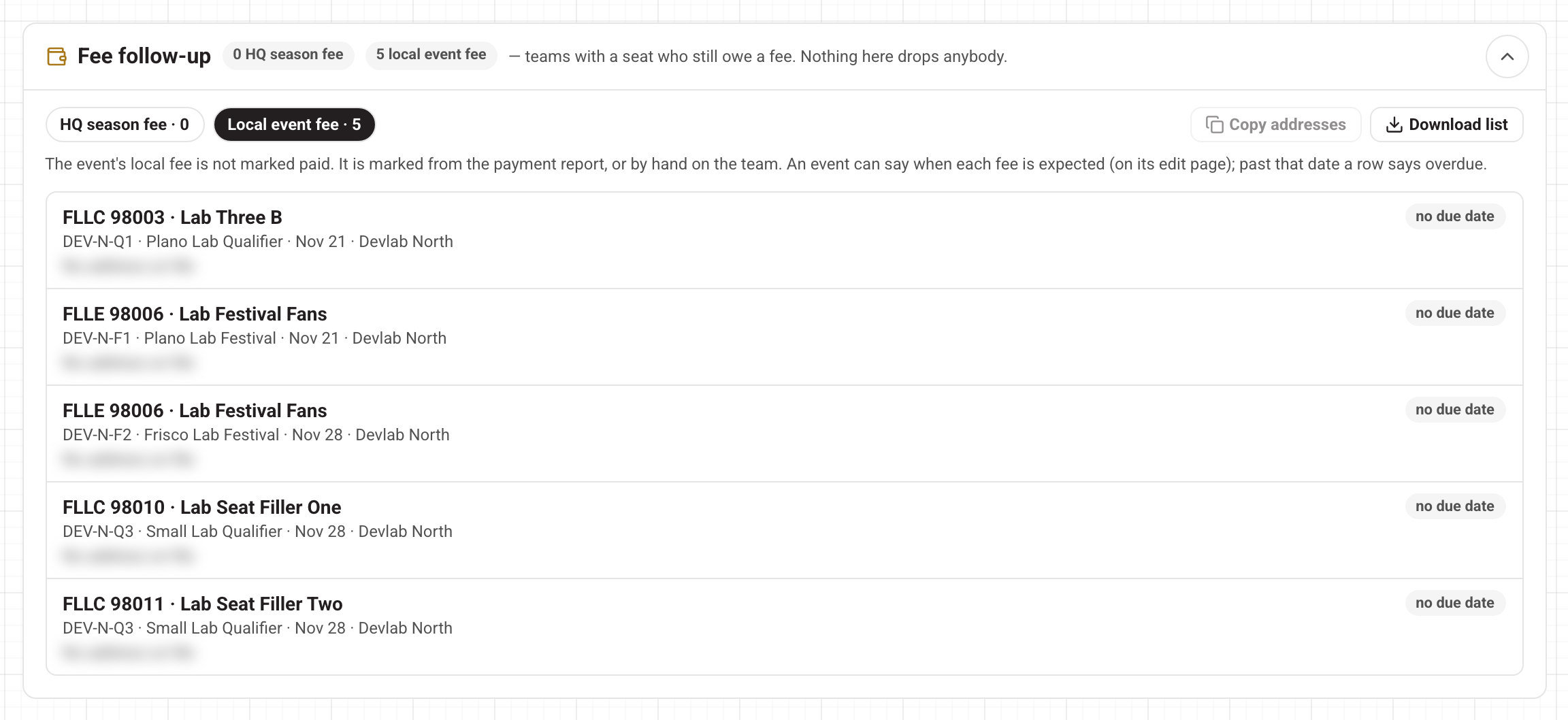
Each row shows the team, its event and date, and the coach addresses on file. On the right:
- overdue · date in red: the date the event expects this fee has passed.
- due date: the date is still ahead.
- no due date: the event does not say when the fee is expected.
- waived (HQ tab only): staff have let this team select events before HQ marks it Secured.
You set the "expected by" dates on the event's edit page, under HQ season fee expected by and Local event fee expected by. They only change what this list shows. See Creating and editing events in your region.
Follow up
- Copy addresses copies every coach address on the tab you are on, ready to paste into an email.
- Download list saves the tab as a spreadsheet (CSV) with the team, event, region, fee, expected-by date and addresses.
Nobody is dropped for not paying. If a team really has to come off an event, you do that yourself. See Placing teams at events.
The Fee due list
Further down the Overview, Fee due lists the seats held without a paid local fee, grouped by event. You can show the next 7, 14 or 30 days, download a CSV, or press Remind coaches to email the lead coaches of the ticked teams a reminder with the payment link. Every team is ticked to start with. Reminders only go out when email is on. Here too, nobody is removed automatically.
Questions? Open Help in the account menu at the top right.