Region news goes on the Coach Dashboard of every coach with a team in your region. Use it for anything specific to your region, such as kickoffs, build parties, scrimmages, deadlines and local contacts. Statewide information is already on the program pages.
Write a post
- Open Region news on your dashboard.
- Press New post.
- Fill in the form (see below), then press Post. To stop, press Cancel.
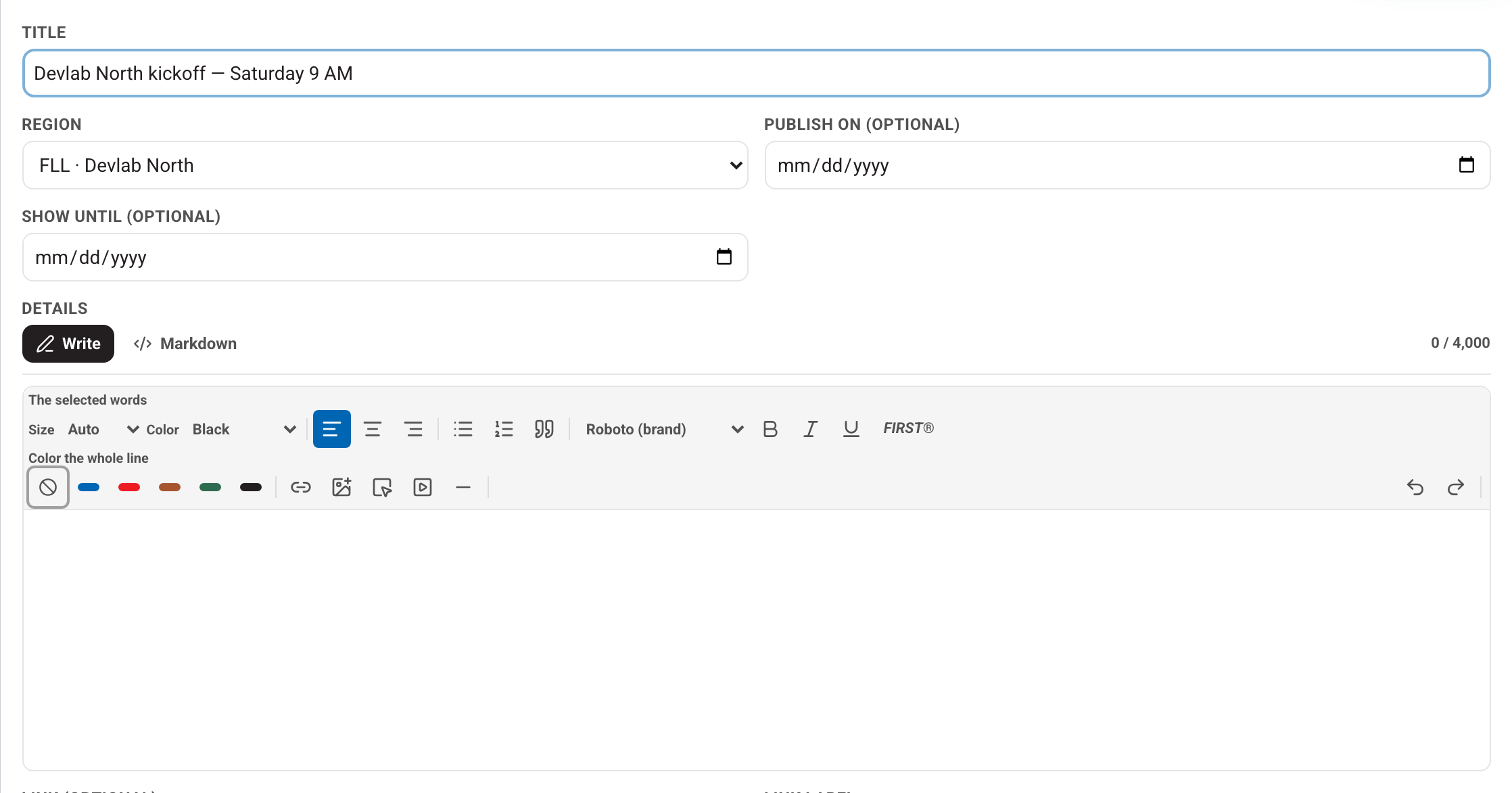
- Title: what coaches see first, for example "Devlab North kickoff — Saturday 9 AM".
- Region: the region whose coaches will see it. You only see your own regions.
- Publish on (optional): leave it blank to post now. A later date keeps the post hidden until that morning.
- Show until (optional): the post disappears after this day.
- Details: the body of the post. Use the toolbar for bold, lists and links. A post can be up to 4,000 characters.
- Link and Link label: an optional button, for example "Sign up".
- Header photo (optional): a wide photo across the top of the post.
- Pictures & files: photos show as a strip on the post, and PDFs open in a viewer. Photos are resized for you, and location data is removed. Photos taken at our events are covered by the photography notice at every entrance. Only post pictures taken anywhere else, such as a classroom or someone's home, if the family agrees.
Make it stand out

- Mark as important: the post shows first on every coach's dashboard. This sends no email by itself.
- Pin to top: keeps the post above your other posts.
- Also show publicly: also puts the post on the public program page, where anyone can read it. Only tick this if you are happy for anyone to see the pictures.
- Status: Published, or Draft to save it without anyone seeing it.
Email the coaches too
Region news waits on a dashboard until coaches look. If something cannot wait, tick the regions under Email the coaches.
- Tick one or more regions. A yellow box tells you how many coaches it will email, for example "This will email 52 coaches in FLL Devlab North."
- Tick Yes — email these coaches to confirm. The post will not send without it.
- Press Post. The email goes out when you save, and it cannot be unsent.
The email carries only the title and a link to the post, never the post itself. A draft, or a post dated for later, is not emailed. Publish it today if you want coaches told.
While the site is in testing, email is off, so no coach is emailed. Once email is on, this works as described.
Edit or remove a post
Your posts are listed under Your posts, newest first. Use the pencil to edit a post. To delete one, press the bin, then Delete.
The other way in
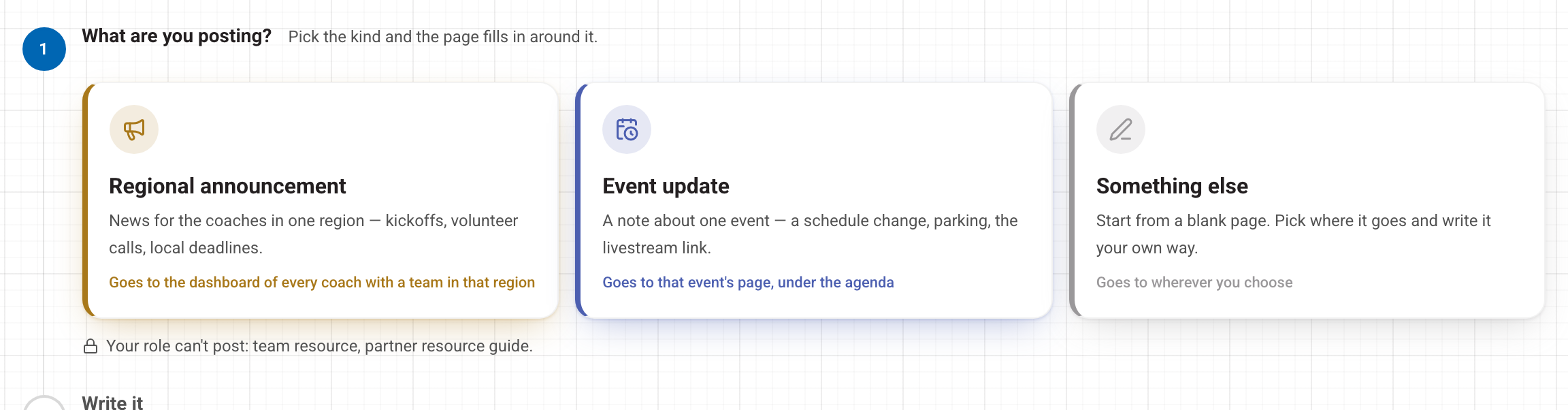
You can also post from the Write something page. Post an update on one of your events takes you there. Pick Regional announcement for region news, or Event update for a note that shows on one event's page.
Next: Help requests from your coaches. Questions? Open Help in the account menu at the top right.